PowerShell 업데이트
https://learn.microsoft.com/ko-kr/powershell/scripting/install/install-powershell-on-windows?view=powershell-7.5

최신 버전 설치
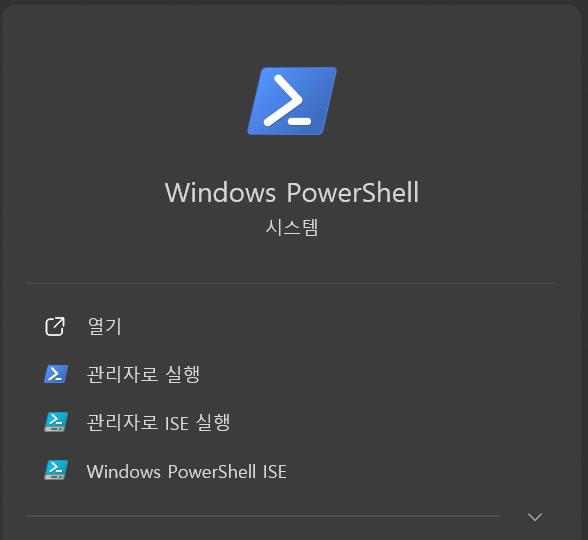
PowerShell실행win + s->powershell검색 ->Windows PowerShell실행
- 최신 버전 검색
winget search --id Microsoft.PowerShell

Name               Id                           Version Source
---------------------------------------------------------------
PowerShell         Microsoft.PowerShell         7.5.4.0 winget
PowerShell Preview Microsoft.PowerShell.Preview 7.6.0.6 winget- 최신 릴리즈 버전 설치
winget install --id Microsoft.PowerShell --source winget- 이제 PowerShell 실행할 때
Windows PowerShell말고PowerShell 7실행
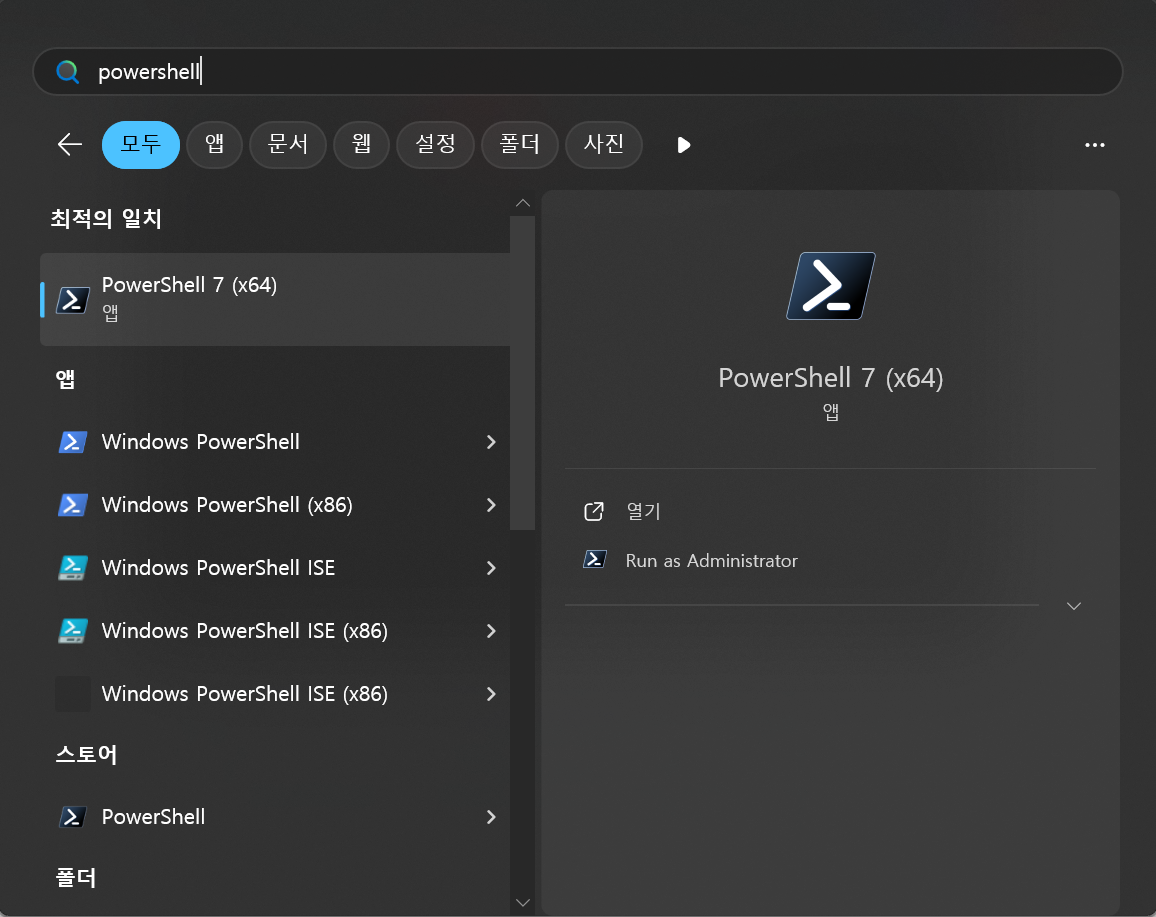
최신 버전 기본값 설정
- PowerShell
설정
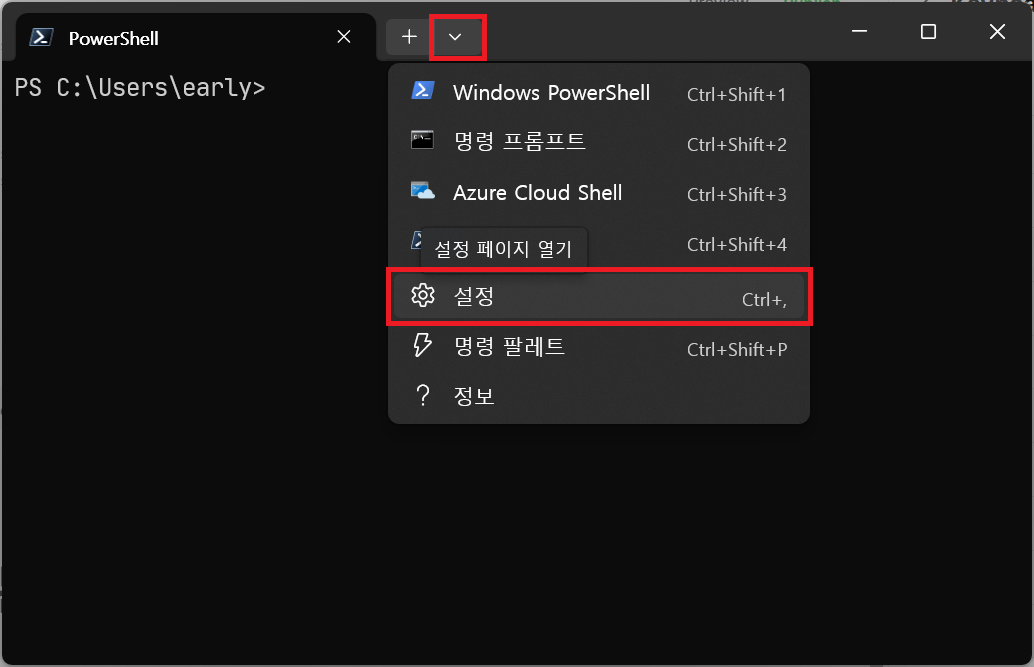
시작→기본 프로필→PowerShell혹은PowerShell 7선택 →저장
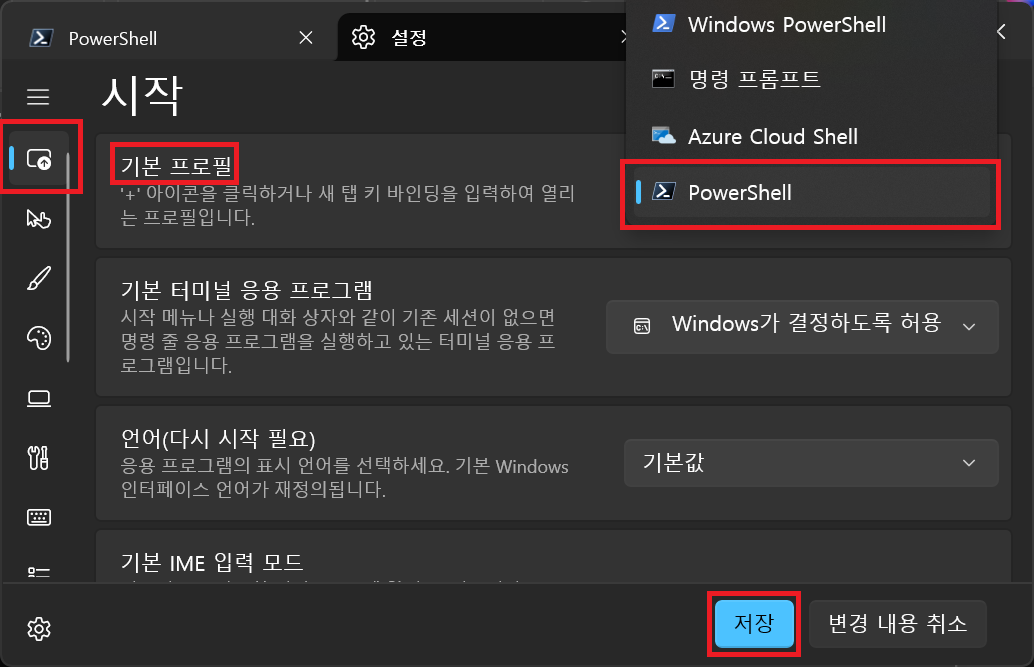
- 이제 여기
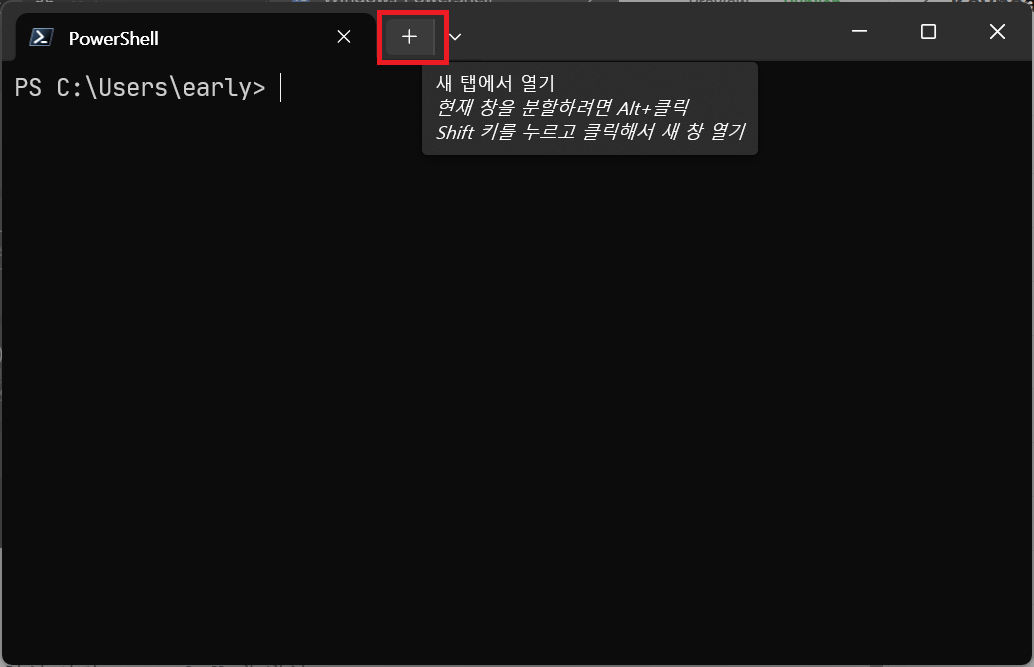
+를 누르면 최신 버전 PowerShell 탭 생성